01
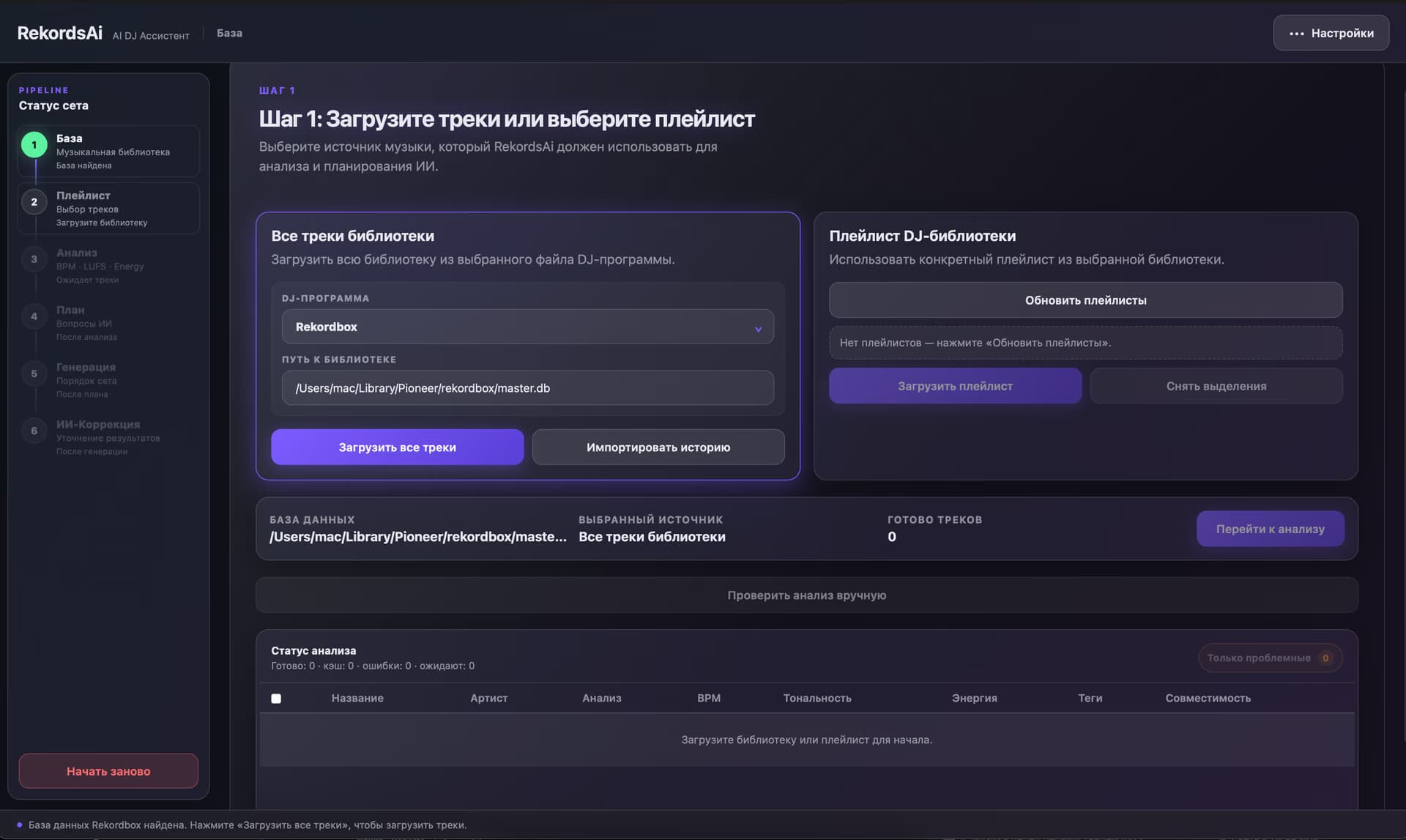
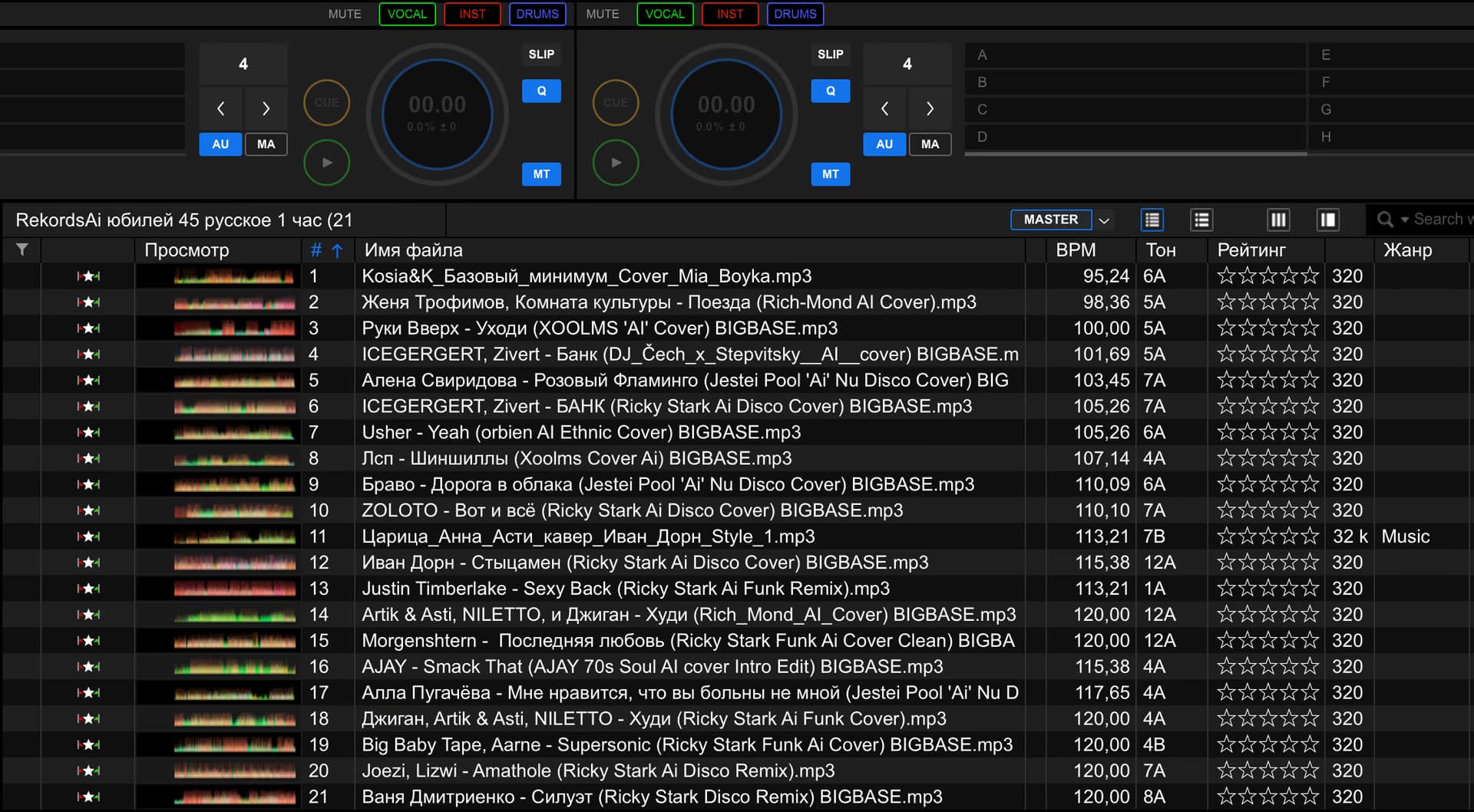
Step 1. Import your library
RekordsAI connects to your DJ software.

DJ Set Engine
Import your library, tell AI about the event — RekordsAI analyzes the music, shapes the set’s energy, and prepares a ready-to-use playlist for your DJ software.
DJ workflow
Keep your familiar workflow. RekordsAI connects to your DJ software and works with your existing music library.
Connect your library, choose a playlist, let AI analyze the music, and get a complete set for your DJ software.
RekordsAI connects to your DJ software.
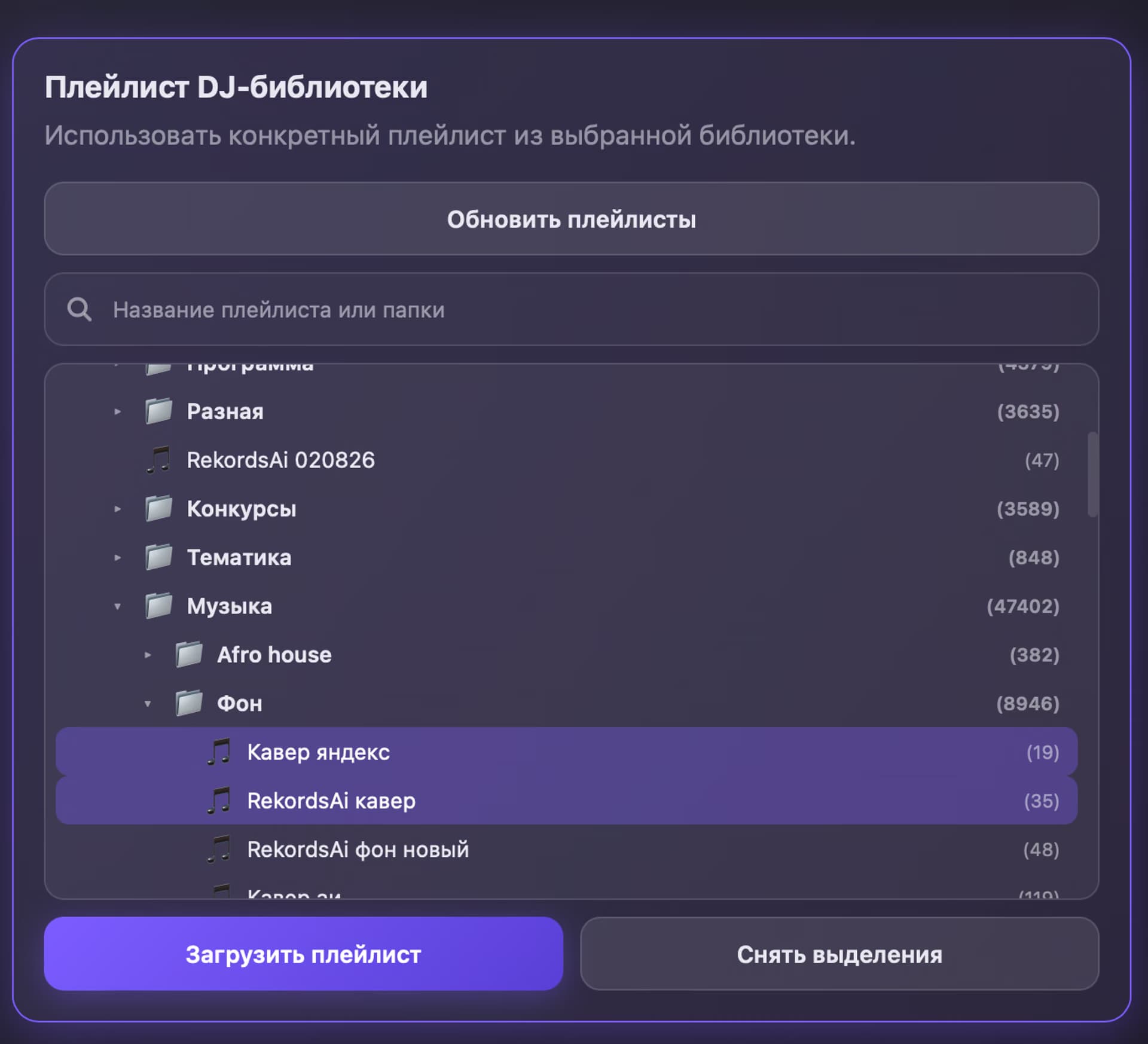
Choose your library or a specific playlist.
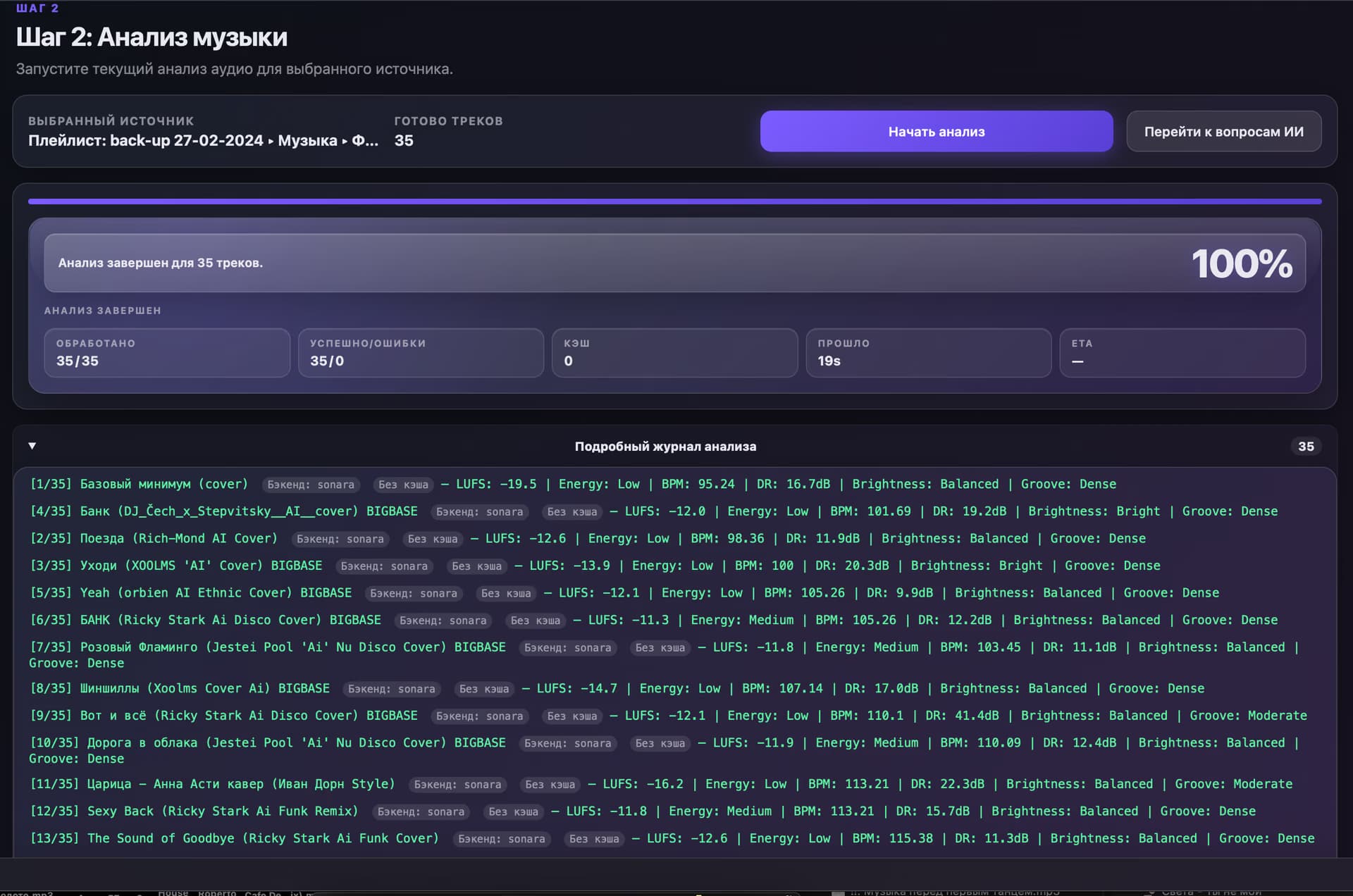
RekordsAI analyzes BPM, key, Camelot, mood, energy, and musical compatibility.
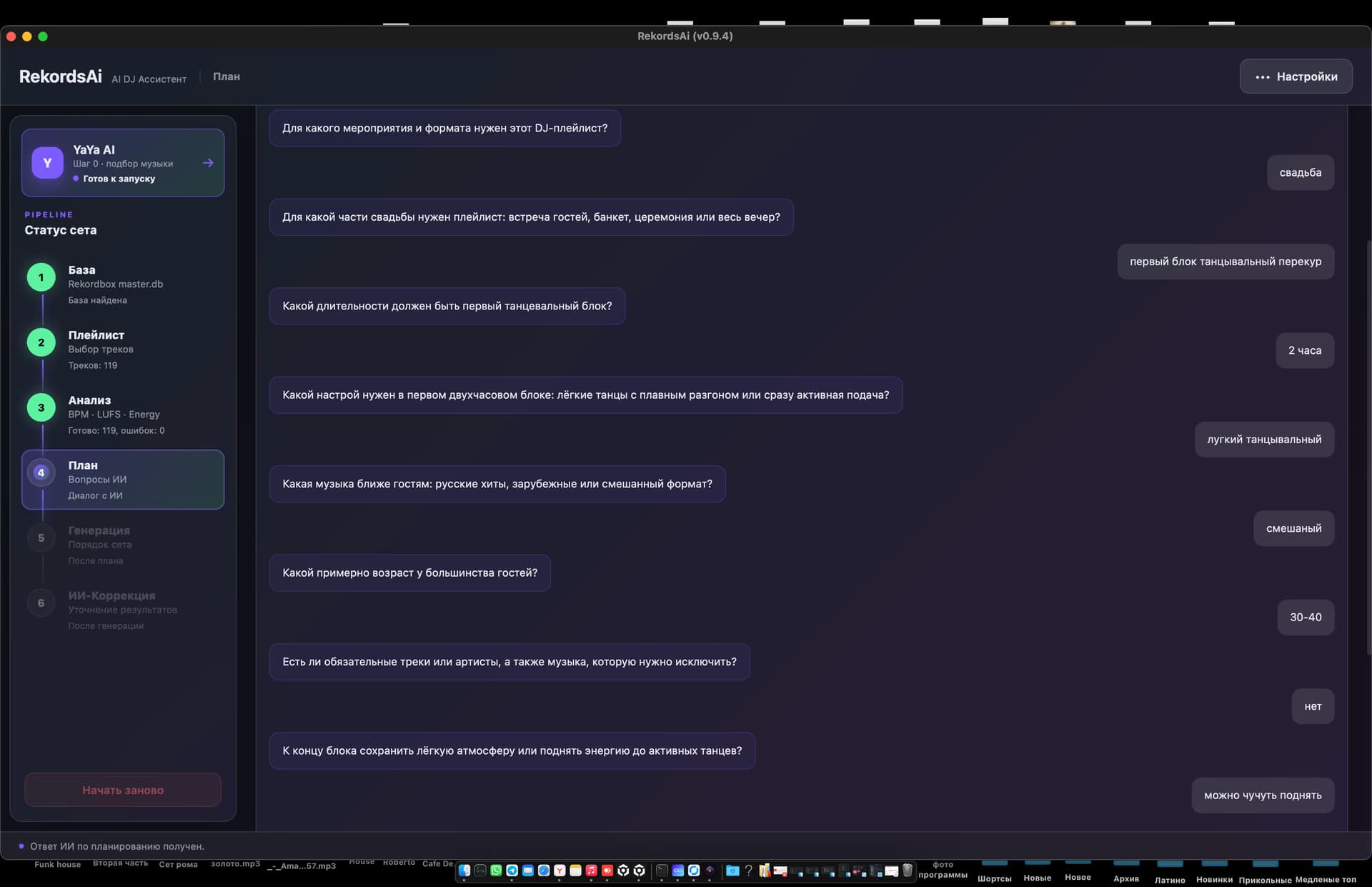
AI asks questions about the event. You answer in free text.
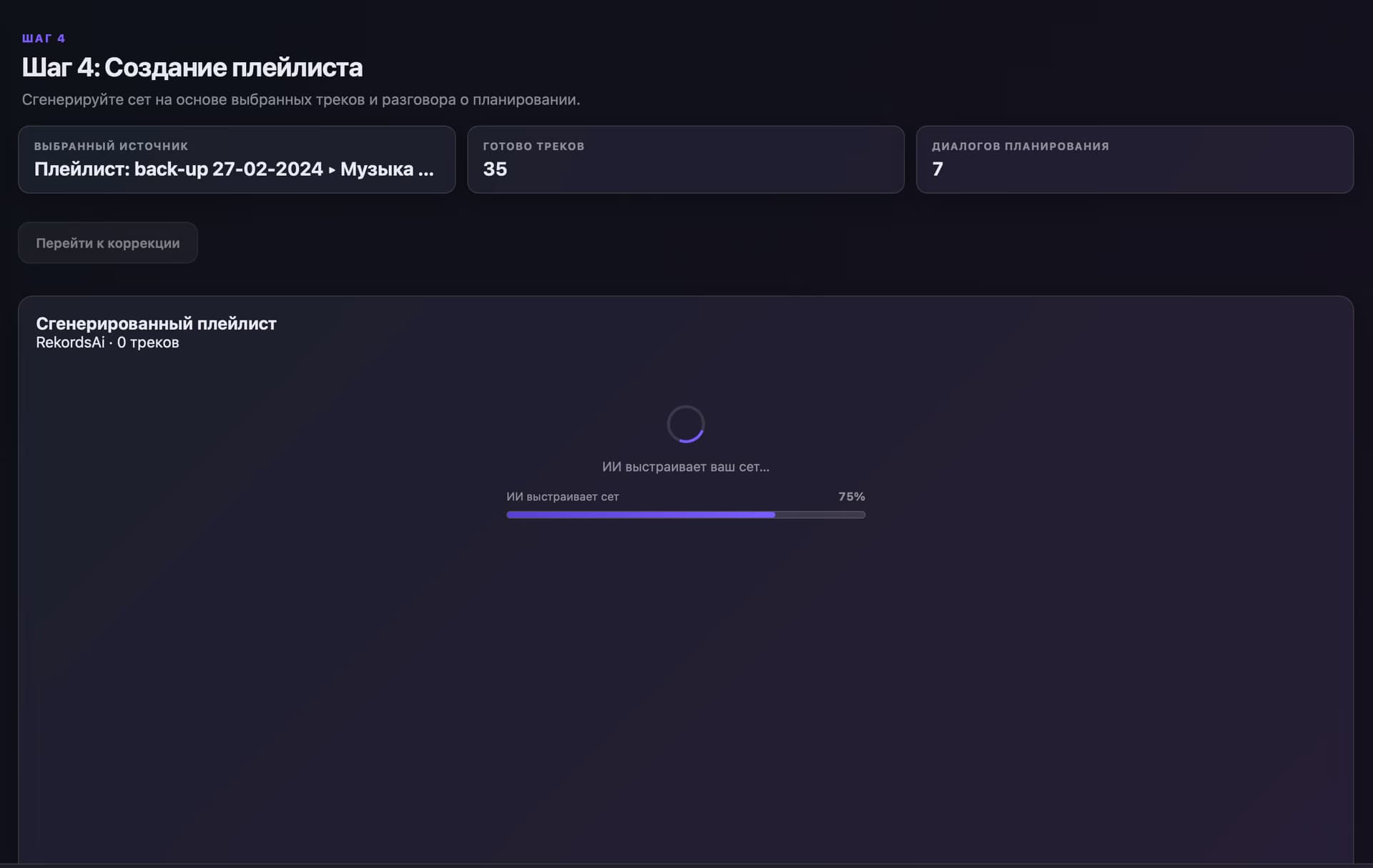
AI starts building the set.
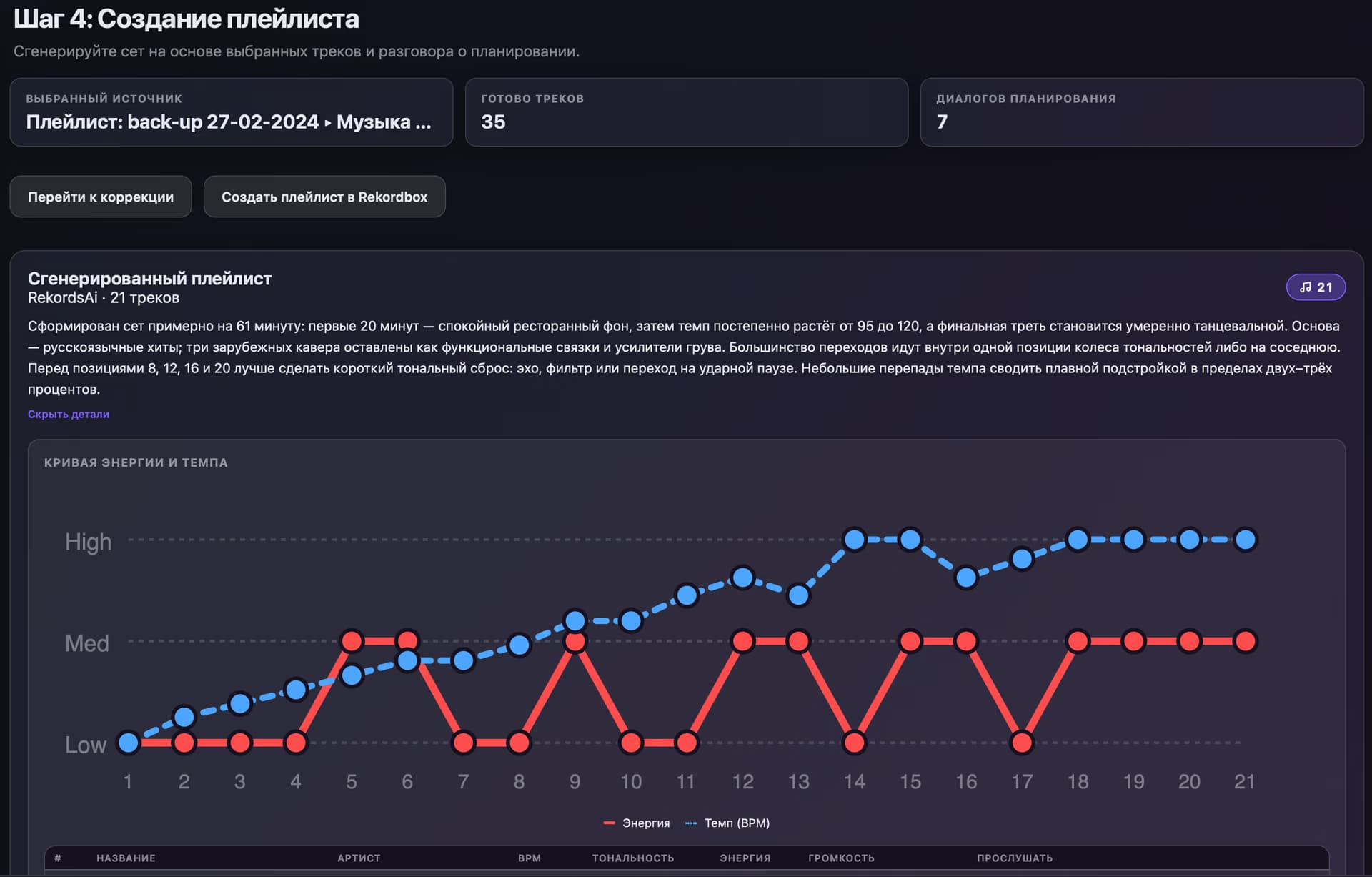
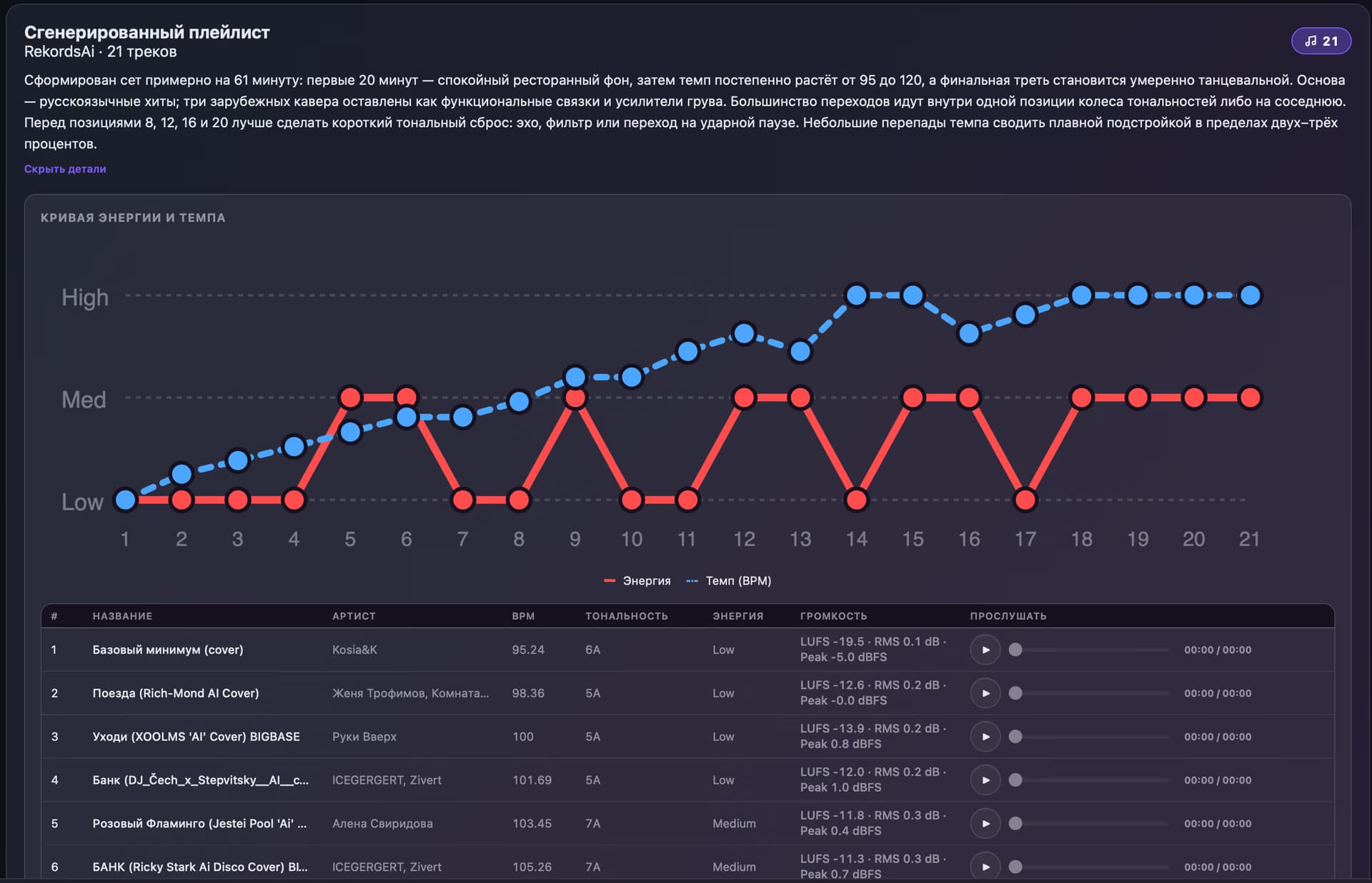
RekordsAI shows the energy curve and helps you see how the set develops.
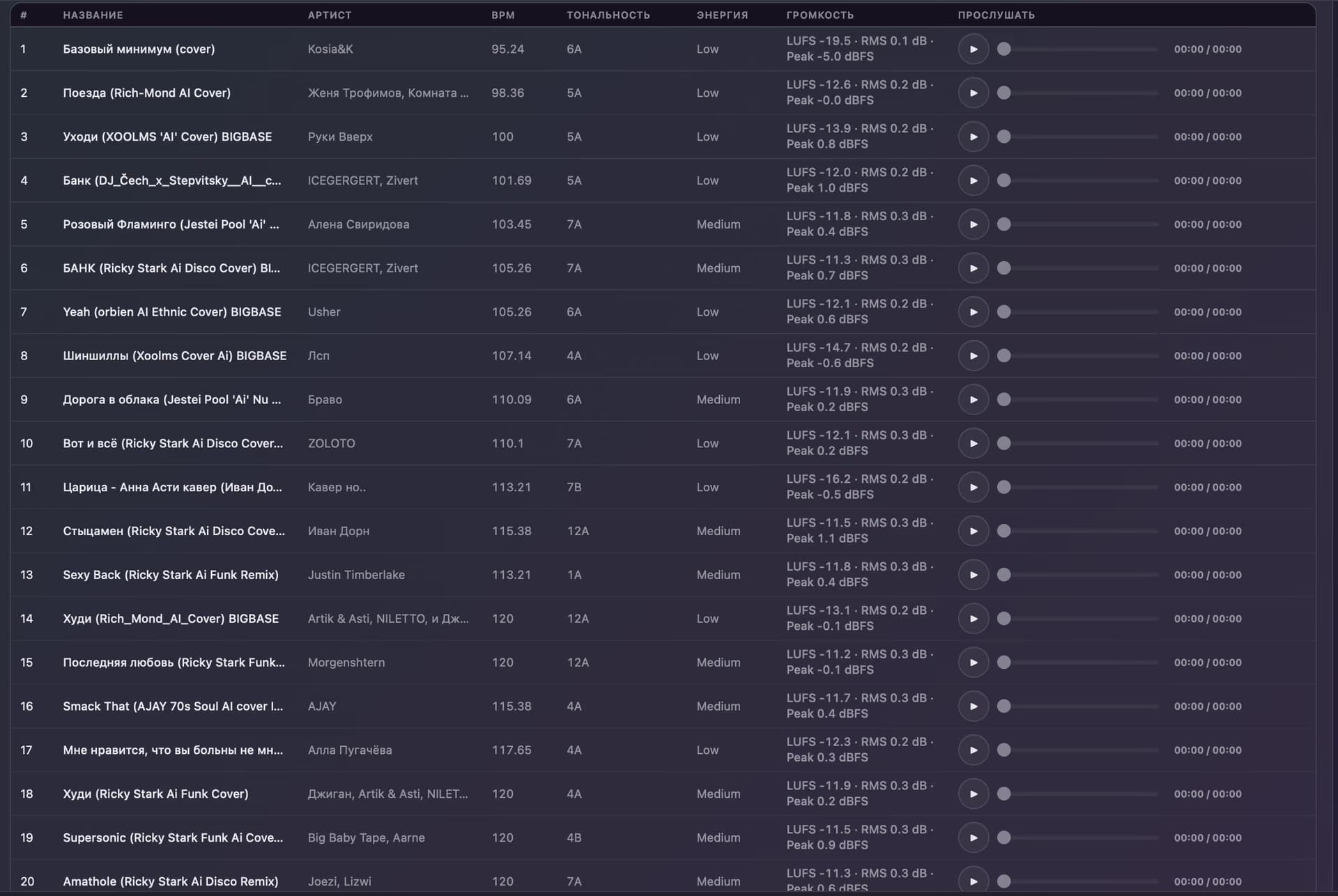
See the track order and the logic behind the musical scenario.
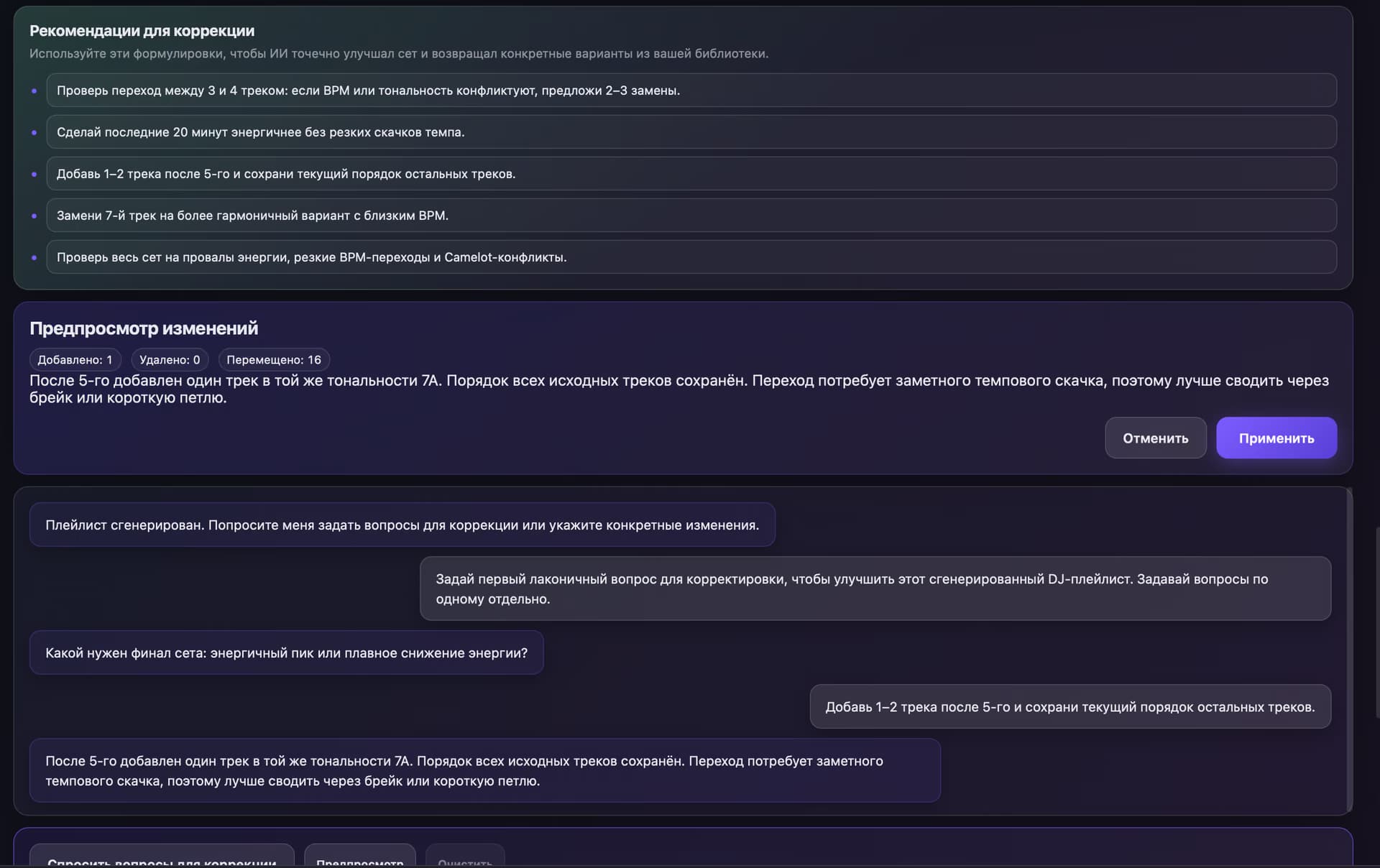
Change the result using ordinary text.
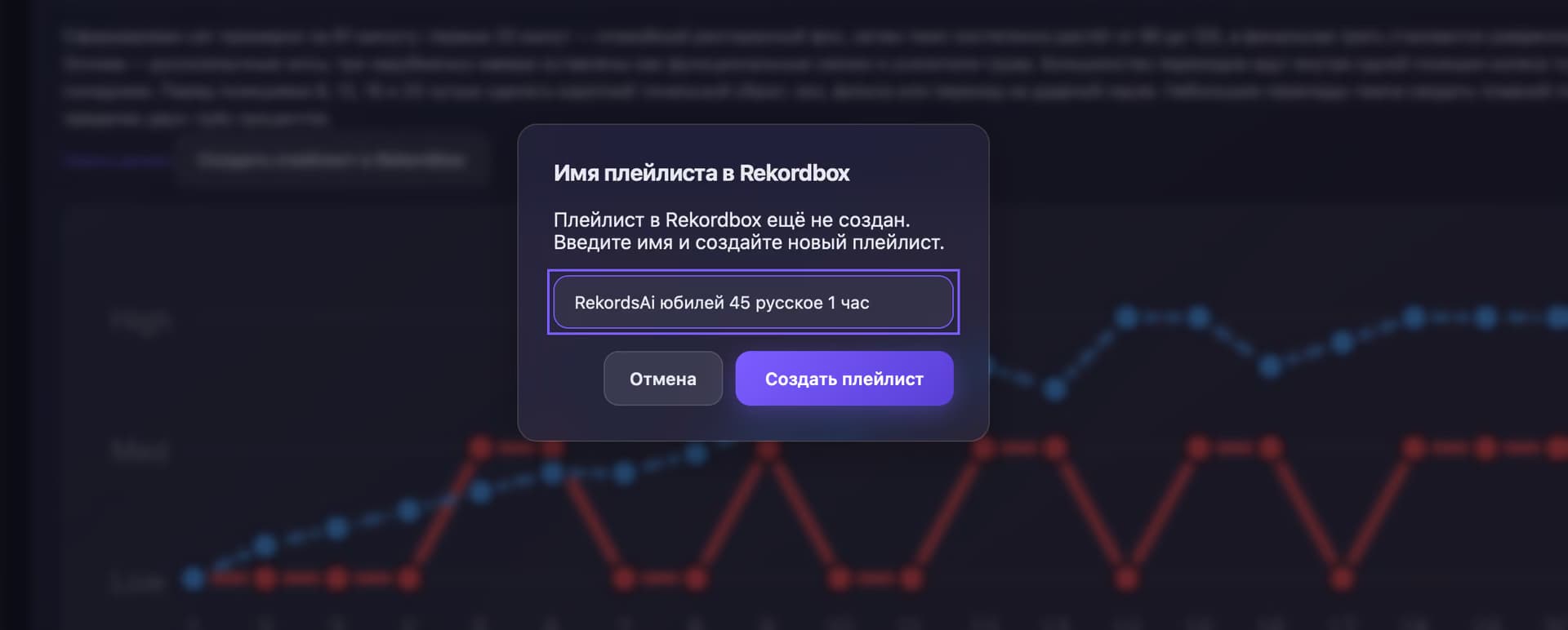
Send the completed set back to your DJ software.
The playlist created by RekordsAI is now inside your DJ software.
AI considers musical characteristics and the context of your future set.
AI determines which track should come next.
RekordsAI tracks energy changes throughout the playlist.
AI considers the emotional character of each track.
Builds a coherent musical scenario.
Takes the event context into account.
Analyzes tempo.
Considers harmonic compatibility.
RekordsAI tracks energy changes throughout the playlist.
A musical scenario depends on more than tempo.
Considers the wedding structure, guest ages, and how the dance section develops.
Considers the audience’s age and musical preferences.
Creates a versatile musical scenario.
Considers dynamics, energy, BPM, and key.
Creates a calmer atmosphere.
The ready result is not final. Tell RekordsAI what to change in ordinary text.
/ demo
The video will show connection, playlist selection, analysis, AI questions, generation, the ready set, correction, and export.
/ for your sets
For professional and beginner DJs who need to prepare musical programs quickly.
A DJ working at weddings.
A DJ working at private and corporate events.
A DJ who cares about set dynamics and energy.
A DJ who needs to prepare new musical programs quickly.
A DJ building professional sets with AI.
/ voices
What DJs say about working with RekordsAI.
Preparing a wedding playlist used to take me half a day. With RekordsAI, I just describe the type of event and get a solid structure for the set, which I can then fine-tune myself. It saves me a huge amount of routine work.
At first, I thought it would be just another tool that sorts tracks by BPM. But RekordsAI actually takes the mood and progression of the set into account. I especially like that I can simply say, ‘make the beginning more relaxed,’ and get an updated version right away.
I have a large Rekordbox library, so my main concern was how well it would work with my own playlists. I selected the music I wanted, answered a few AI questions, and quickly got a well-structured set for several hours. It saves a lot of time before events.
For me, the most useful feature is how RekordsAI works with energy levels and track sequencing. It doesn’t try to replace the DJ — it gives you a strong starting point. You can build the structure quickly and then shape the final sound yourself.
What I liked most is how easy it is to use. I selected a playlist, described the event, and got a ready-to-work-with result. Now I spend less time endlessly sorting tracks and more time focusing on the actual idea and flow of the set.
Get full access for 3 days. Create your first AI set and evaluate RekordsAI with your own music library.
/ faq
Answers to the main questions about RekordsAI.
/ next set
Connect your DJ library, tell RekordsAI about the event, and get a complete musical scenario.